
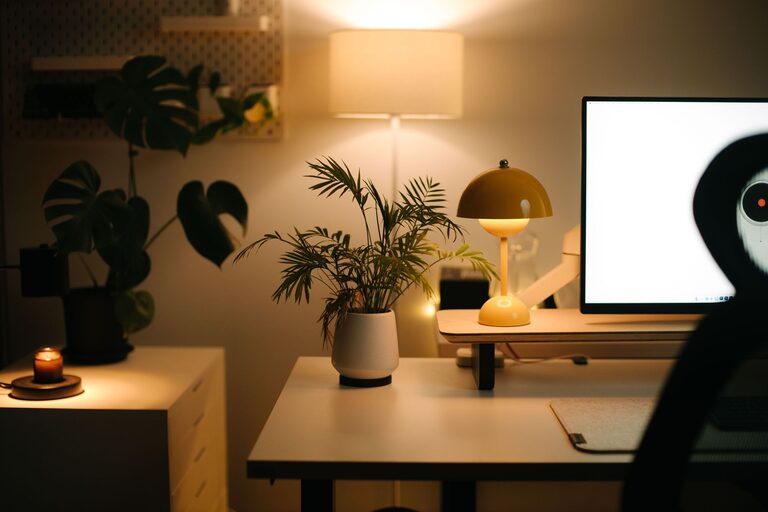
Creating a comfortable and productive home office space can significantly improve your work-from-home experience. Whether you work remotely full-time or occasionally, a well-designed workspace helps you focus, stay organized, and maintain a healthy work-life balance. In this post, we’ll explore practical tips to help you design a home office tailored to your needs.
Why a Comfortable Home Office Matters
Working from home offers flexibility, but it can also introduce distractions and discomfort if your space isn’t set up right. A comfortable workspace helps reduce physical strain, improve focus, and increase motivation. When your home office supports productivity, you’ll find it easier to meet deadlines and manage tasks efficiently.
Choosing the Right Location
Consider Natural Light
Select a spot in your home with plenty of natural light. Daylight boosts mood and energy levels, making tasks easier to complete. If possible, position your desk near a window but avoid glare on your computer screen by adjusting blinds or curtains.
Minimize Distractions
Choose a quiet area away from high-traffic rooms, such as the kitchen or living room. If space is limited, consider using room dividers or noise-canceling headphones to create a focused environment.
Invest in Ergonomic Furniture
Comfortable Chair
A quality ergonomic chair supports your posture and helps prevent back and neck pain. Look for chairs with adjustable height, lumbar support, and armrests. Taking breaks to stretch is also important to reduce stiffness.
Desk Selection
Your desk should be large enough to hold your computer, documents, and office supplies without feeling cluttered. Adjustable desks or standing desk converters can encourage movement throughout the day.
Organize Your Workspace Effectively
Declutter Regularly
Keep your workspace tidy by removing unnecessary items daily. A clutter-free desk reduces distractions and makes it easier to find what you need.
Use Storage Solutions
Incorporate shelves, drawers, or storage bins to organize paperwork and supplies. Labeling containers saves time searching for items and keeps your space neat.
Optimize Lighting
Layer Your Lighting
Combine natural light with task lighting, such as a desk lamp with adjustable brightness. Proper lighting reduces eye strain and helps maintain focus during long work sessions.
Avoid Screen Glare
Arrange your monitor perpendicular to windows to prevent glare. Use anti-glare screen protectors if necessary.
Personalize for Comfort and Motivation
Add Greenery
Plants improve air quality and add a calming, natural touch to your workspace. Choose low-maintenance plants like succulents or pothos.
Incorporate Personal Touches
Display photos, artwork, or meaningful objects that inspire you. Personalizing your space can boost mood and motivation.
Manage Technology Efficiently
Use Cable Management Tools
Keep cords organized with clips, sleeves, or cable boxes to prevent tangles and create a cleaner appearance.
Invest in Quality Equipment
Use reliable devices such as a comfortable keyboard, mouse, and a high-resolution monitor to reduce strain and improve efficiency.
Establish Healthy Habits
Take Regular Breaks
Step away from your desk every hour to stretch and rest your eyes. Short breaks help maintain focus and prevent fatigue.
Maintain Boundaries
Set clear start and finish times for your workday and communicate them with others at home to minimize interruptions.
Final Thoughts
Designing a home office that is both comfortable and productive involves thoughtful planning and personal touches. Focus on good lighting, ergonomic furniture, organized storage, and minimizing distractions. By creating a dedicated space that supports your work style and wellbeing, you’ll enjoy a more efficient and pleasant working experience at home.
With these tips in mind, you’re ready to transform your home office into a space that helps you thrive!