
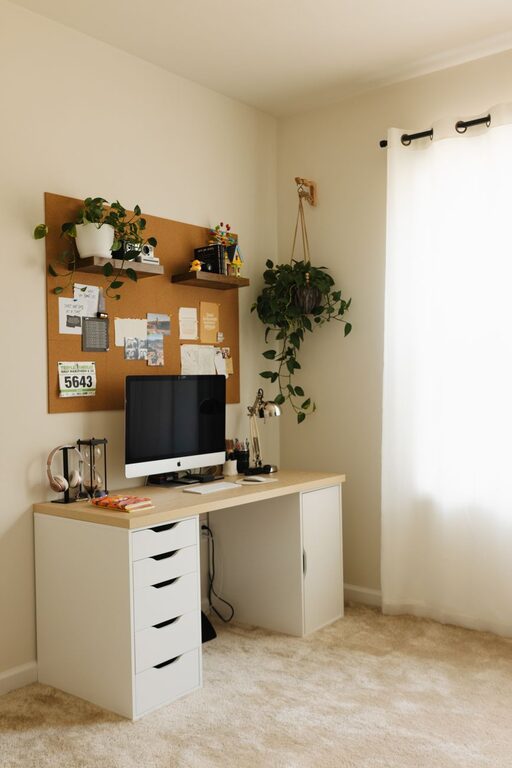
Creating a productive home office space can significantly improve your work-from-home experience. Whether you’re working full time remotely or occasionally need a dedicated space, setting up an area that promotes focus and comfort is essential. Here, we’ll explore practical tips to design a home office that helps you get your best work done.
Choose the Right Location
Consider Natural Light and Quiet
Start by selecting a spot in your home that offers plenty of natural light. Daylight helps reduce eye strain and improves mood, contributing to greater productivity. If possible, choose a room or corner away from household noise and distractions to create a peaceful work environment.
Space Requirements
Make sure the space can comfortably fit your desk, chair, and any equipment you need. Don’t overcrowd the area—having some open space can help your mind feel less cluttered and overwhelmed.
Invest in Comfortable and Functional Furniture
Ergonomic Chair
An ergonomic chair supports good posture and reduces the risk of back and neck pain during long work hours. Look for adjustable features like seat height, lumbar support, and armrests.
Supportive Desk
Select a desk at the right height to keep your arms at a 90-degree angle when typing. Consider options with storage compartments or shelves to keep your workspace organized.
Standing Desk Options
If possible, consider a standing desk or a convertible sit-stand desk. Alternating between sitting and standing can improve circulation and energy levels.
Organize Your Workspace
Declutter Regularly
Keep only the essentials on your desk to minimize distractions. Use cable organizers to reduce tangled cords.
Storage Solutions
Use drawers, shelves, or filing cabinets to store documents, stationery, and office supplies. Clear containers or labels can help keep things in order.
Personalize Thoughtfully
Add a few personal touches like plants, artwork, or photos to make the space inviting. Keep decorations minimal to avoid cluttering the environment.
Optimize Lighting and Screen Setup
Balanced Lighting
Complement natural light with adjustable task lighting to reduce eye strain. Avoid harsh overhead lights and minimize glare on screens by positioning your desk perpendicular to windows.
Monitor Placement
Position your computer monitor at eye level, about 20-30 inches away from your face. This setup helps maintain good posture and prevents neck and eye fatigue.
Establish Clear Boundaries
Dedicated Work Times
Set specific work hours to maintain a routine and signal to others when you are not to be disturbed.
Separate Work and Leisure
Try to keep work activities confined to your designated office space. This helps your brain associate the area with productivity and makes it easier to “switch off” after work.
Incorporate Technology Wisely
Reliable Internet and Equipment
Ensure your internet connection is fast and stable. Use quality headphones or speakers, and invest in tools like a webcam and microphone if you attend virtual meetings.
Productivity Tools
Leverage apps or software for task management, note-taking, and time tracking to stay organized and focused throughout the day.
Maintain Your Workspace and Yourself
Regular Cleaning
Keep your workspace clean by wiping surfaces weekly and tidying up daily. A clean environment encourages a clear mind.
Take Breaks and Move
Incorporate short breaks every hour to rest your eyes and stretch your body. Physical movement reduces fatigue and keeps you energized.
Final Thoughts
Setting up a home office is a chance to create a space that supports your work style and comfort. By choosing the right location, investing in ergonomic furniture, organizing effectively, and managing boundaries, you can build an environment that boosts your productivity and well-being. Remember, a little planning and personalization go a long way in making your home office a place where you can focus, create, and succeed.