
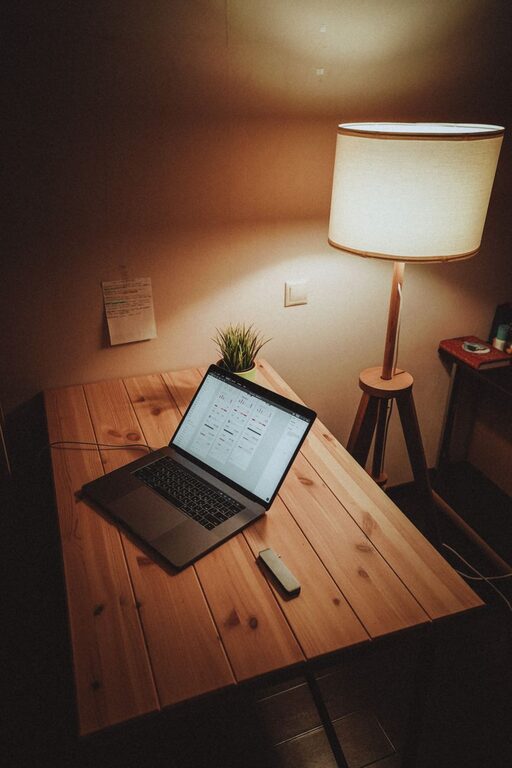
Creating a cozy and inviting home workspace is essential for both comfort and productivity. Whether you work from home full-time or occasionally need a quiet area to get tasks done, your environment plays a big role in how focused and motivated you feel. Here are practical tips to help you design a workspace that feels welcoming and helps you work efficiently.
Choose the Right Location
Your workspace should be in a spot where you can concentrate without too many distractions.
– Natural Light: If possible, set up your desk near a window. Natural light boosts mood and reduces eye strain.
– Quiet Area: Opt for a room or corner away from high-traffic areas to minimize noise.
– Space to Move: Ensure there’s enough room to stretch or add a small seating area if desired.
Invest in Comfortable Furniture
Comfort is key to creating a space where you’ll want to spend time working.
– Ergonomic Chair: Choose a chair that supports your back and encourages good posture.
– Adjustable Desk: Standing desks or adjustable options help vary your position throughout the day.
– Proper Desk Size: Your desk should be wide enough for your computer, supplies, and a little extra space to spread out.
Personalize Your Space
Adding personal touches can make your workspace feel more inviting and less sterile.
– Color Choice: Use colors that make you feel calm and focused – soft blues, greens, or warm neutrals are popular.
– Artwork: Hang prints, photos, or art that inspire you or bring you joy.
– Plants: Adding greenery not only improves air quality but also makes your space feel alive and cozy.
Organize for Efficiency
A cluttered workspace can lead to distractions and stress.
– Storage Solutions: Use shelves, drawers, or organizers to keep documents and supplies tidy.
– Desk Essentials: Keep only the tools you use daily on your desk to maintain a clean surface.
– Cable Management: Use clips or sleeves to keep cords out of the way and reduce visual clutter.
Add Soft Textures and Cozy Elements
Small touches can make your workspace feel comfortable and inviting.
– Rugs: A soft area rug can warm up the floor and define your workspace.
– Throw Blankets and Cushions: Keep a cozy blanket or cushion nearby for extra comfort during long work sessions.
– Soft Lighting: Use table lamps, string lights, or floor lamps with warm-toned bulbs to create a gentle, relaxing atmosphere.
Incorporate Functional Technology
Make sure your technology supports your workflow without adding stress.
– Monitor Stands: Raising your monitor to eye level prevents neck strain.
– Good Headphones: Noise-canceling headphones can help block distractions.
– Reliable Internet: Ensure your space has a strong Wi-Fi connection or access to Ethernet for stability.
Take Care of Air Quality and Temperature
Feeling fresh and comfortable in your workspace enhances focus.
– Ventilation: Keep a window open when possible or use fans for airflow.
– Air Purifiers: If you suffer from allergies or want cleaner air, consider an air purifier.
– Temperature Control: Use a small heater or fan to maintain a comfortable temperature year-round.
Create a Routine and Maintain Your Space
Keeping your workspace neat and routine helps make it feel inviting every day.
– Daily Tidy-Up: Spend a few minutes clearing your desk at the end of the day.
– Weekly Deep Clean: Dust surfaces, vacuum rugs, and wipe electronics to keep the area fresh.
– Routine Breaks: Plan breaks away from your desk to stay comfortable and prevent burnout.
—
By thoughtfully designing your home workspace, you can create a cozy and productive area that feels just right. Small changes in lighting, comfort, and organization can make a big difference in how you experience your workday. Enjoy personalizing your space and finding what makes you most comfortable and focused!